
苹果平板电脑ipad详解
Safari
The large Multi-Touch screen on iPad lets you see web pages as they were meant to be seen — one whole page at a time. With vibrant color and sharp text. So whether you’re looking at a page in portrait or landscape, you can see everything at a size that’s actually readable. And with iPad, navigating through the web has never been easier, or more intuitive. Because you use the most natural pointing device there is: your finger. You can scroll through a page just by flicking your finger up or down on the screen. Or pinch to zoom in or out on a photo. There’s also a thumbnail view that shows all your open pages in a grid, to let you quickly move from one page to the next
Mail
See and touch your email in ways you never could before. In landscape, you get
a split-screen view, showing both an opened email and the messages in your Inbox. To see
the opened email by itself, you just turn iPad to portrait, and the email automatically
rotates and fills the screen. No matter which orientation you use, you can scroll
through your mail, compose a new email using the large, on-screen keyboard, or delete messages, with nothing more than a tap and a flick.
If someone emails you a photo, you can see it right in the message. You can also
save the photos in an email directly to the built-in Photos app. And iPad will work with all the popular email providers, including
MobileMe, Yahoo! Mail, Gmail, Hotmail, and AOL.
Photos
With its crisp, vibrant display, and its unique software features, iPad is an extraordinary way to enjoy and share your photos. For example, the new Photos app displays the photos in an album as though they were in a stack. Just tap or pinch to open the stack, and the whole album opens up. Then you can flip through your pictures, zoom in or out, or watch a slideshow. You can even use your iPad as a beautiful digital photo frame while your iPad is docked or charging. And there are lots of ways to import photos: you can sync them from your computer, download them from an email, or import them directly from your camera using the Apple Camera Connection Kit.
 东芝数码复印机原理与复印过程概述
时间:2026-03-06
复印机的使用常识及保养
时间:2026-03-06
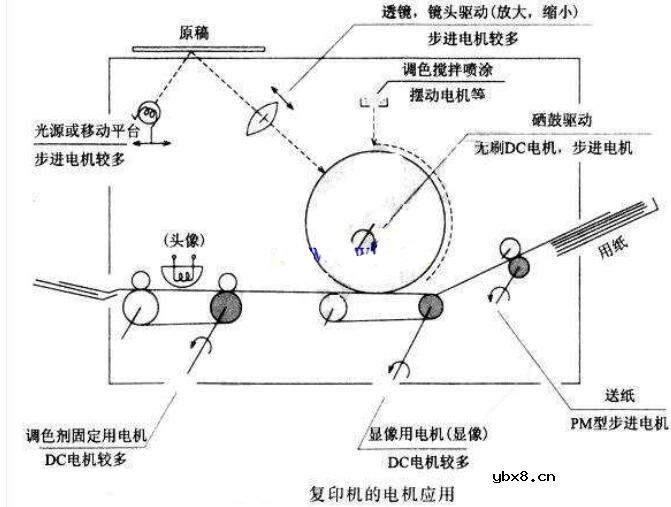 步进电机在复印机中的应用
时间:2026-03-06
常用的复印机维修工具有哪些
时间:2026-03-06
传真机的类型
时间:2026-03-06
传真机用纸类型
时间:2026-03-06
传真机的记录纸尺寸
时间:2026-03-06
传真机适用线路
时间:2026-03-06
传真机的供纸标准
时间:2026-03-06
传真机的自动输稿器容量
时间:2026-03-06
什么是追踪缓存/转接卡?
时间:2026-03-06
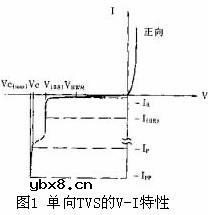 瞬间抑制二极管(TVS)/瞬间抑制二极管(TVS)是...
时间:2026-03-04
什么是EPIC
时间:2026-03-06
什么是联合并行处理二级缓存?
时间:2026-03-06
什么是Speculative execution/SQRT?
时间:2026-03-06
什么是霍尔传感器
时间:2026-03-05
双向二极管起什么作用?
时间:2026-03-04
 半导体材料的主要种类有哪些?
时间:2026-03-04
高级封装,高级封装是什么意思
时间:2026-03-04
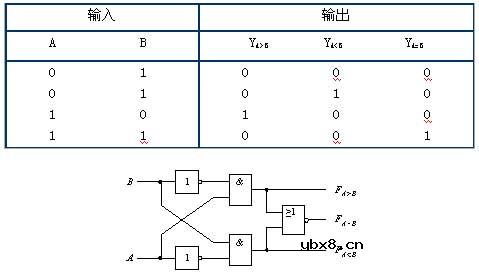 数字比较器,数字比较器是什么意思
时间:2026-03-04